For Snap Spectacles
Build real circuits.
Understand every wire.
Snap Spectacles guide you through the build. This website handles the explanation — what you made, why it works, and the physics behind every connection.
The experience
A New Way of Learning
The Spectacles put the instructions inside your field of view while your hands stay on the circuit. No switching between a screen and a breadboard — the guidance comes to you.
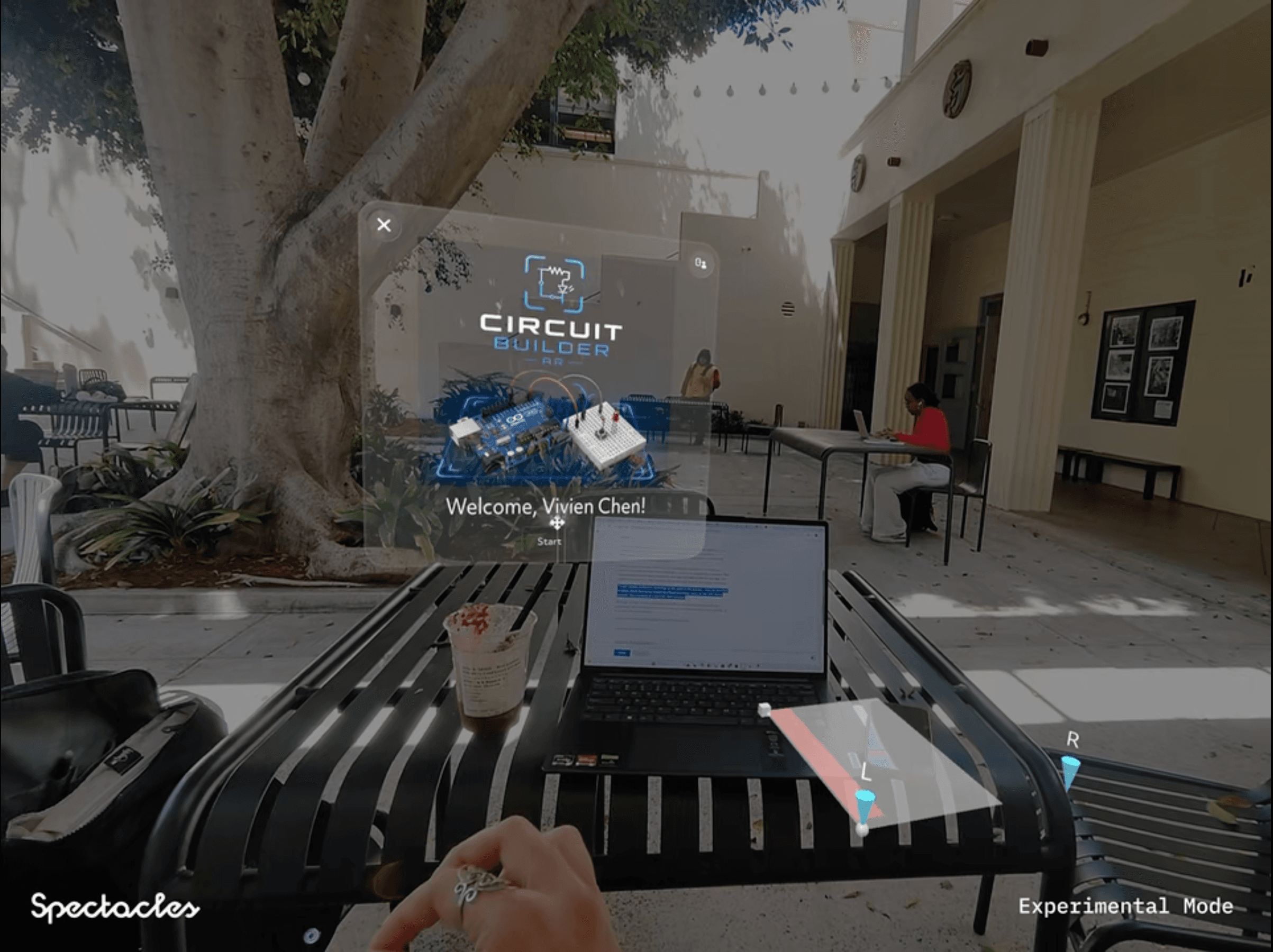
What the student sees — the Circuit Builder app rendered in the Spectacles lens, over the real world.
Using Snap Spectacles
Three gestures. Full control.
Snap Spectacles use hand tracking — no controllers needed. Here's how to navigate the AR experience.
Gesture 01
Pinch to select.
Bring your index finger and thumb together to tap, click, or confirm any AR element in your view. Release to deselect.
Gesture 02
Swipe to scroll.
Extend your index finger and swipe up or down to scroll through instructions, component lists, or step previews in the AR overlay.
Gesture 03
Left wrist up for settings.
Raise your left palm toward your face to summon the settings panel. Use the three-line menu to navigate between steps, restart, or exit the session.
Building a Circuit with Spectacles
One Circuit. Everything Explained.
Step 01
Put on your glasses.
Wear your Snap Spectacles and open the Circuit Builder tutorial your instructor assigned. The AR overlay will appear in your lenses — you're ready to build.
Step 02
Follow the instructions and build.
The Spectacles walk you through each step. Place each component where the AR overlay indicates. Take your time — the glasses will confirm when each step is done.
Step 03
Come back here to understand it.
Once your build is complete, open this website. Your session will already be here — with a full explanation of what you built, why it works, and the concepts behind every wire.
Curriculum
What you'll learn
Each build introduces new concepts. Hover a node to see what it means.
CONCEPT MAP
Hover a node to see what each concept means and how it connects to the others.
FOR EDUCATORS
Your curriculum,
explained by the hardware.
You define what students build. The Spectacles walk them through it. This website turns the completed session into a detailed explanation — automatically, for every student, every time.
No grading submissions by hand. No "did they actually read it." The lab notebook is generated from what they physically built — there's no faking it.
Per-student session history
Every build, every concept encountered, every step that was flagged — searchable and exportable.
Concept coverage tracking
See at a glance which concepts each student has encountered, not just which tutorials they've completed.
Works with any tutorial
Load your own Spectacles tutorials. The website handles the explanation layer — you handle the curriculum.
Lab notebook export
Students generate a PDF lab entry for every build: schematic, explanation, and concept map. Ready to submit.
FAQ